

Steps
1
Open Dex
Go to dexdata.ai and sign in to your account (or sign up if it’s your first time).
2
Connect your data source
As the owner of an organization workspace in Dex, you can connect data sources from the Connections page.
Open the left sidebar and select Connections to get to the page.
If the connections tab is locked as shown below, you should reach out to your workspace owner.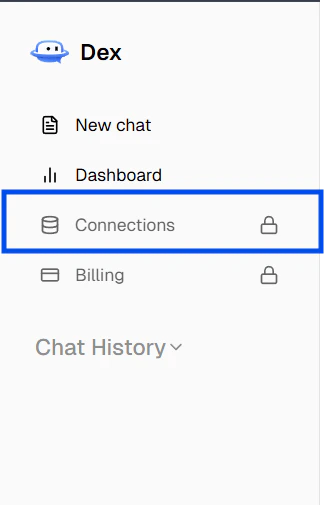
3
Connect Slack or message Dex
Slack is the only messaging option for now. See Messaging to connect during onboarding, from the chat interface, or from the Connections page.
4
Ask Dex about your data
Start asking Dex about your data from the chat interface or in Slack.
If your source requires approval from IT or a system owner, collect that access before you start the connection flow so you can test it immediately.
Next steps
- Explore Connect Dex to connect your first source.
- Check out Messaging to connect your messaging platform.